$1 to Join + 50% Off Dues 'Til 2027
Use Code OCTDEAL26 See details.
HOW TO BRING GUESTS
STEP 2: FOLLOW THESE INSTRUCTIONS
STEP 1: LOGIN
Login to the National Fitness app or Member Hub to make these changes.
Need help downloading the app or logging in? Click here.
STEP 2: FOLLOW THESE INSTRUCTIONS
Before checking in your guest, make sure they've accepted your invite, and completed the registration process. Their barcode will not be available until they complete their registration. If needed, you can send a reminder to complete their registration from the guest section of the app.
|
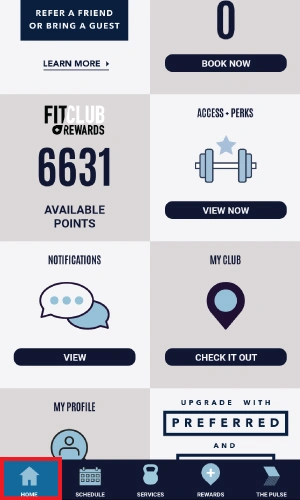
1. Go to app home screen |
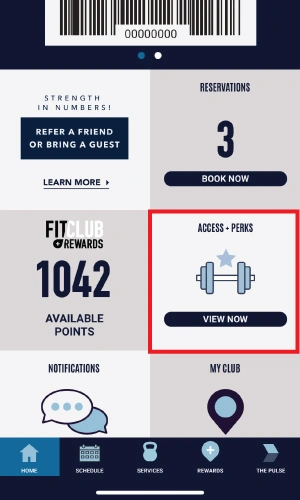
2. Select Access + Perks |
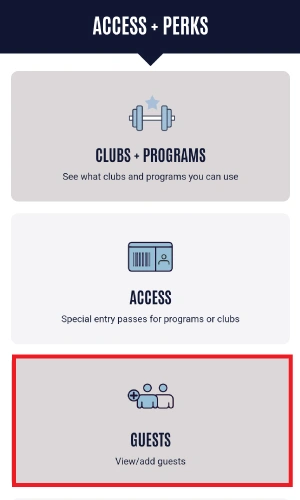
3. Select Guests |
|
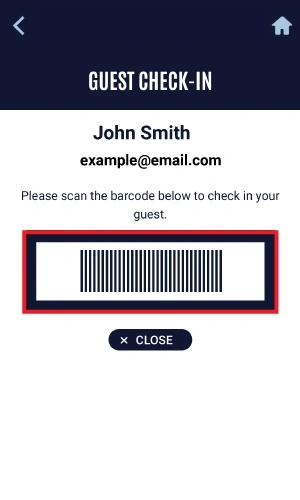
4. Select Guest's Name |
5. Show barcode |