$1 to Join + 50% Off Dues 'Til 2027
Use Code OCTDEAL26 See details.
HOW TO UPDATE YOUR PAYMENT METHOD
STEP 1: LOGIN
Login to the National Fitness app or Member Hub to make these changes.
Need help downloading the app or logging in? Click here.
STEP 2: FOLLOW THESE INSTRUCTIONS
To add or remove an Account Manager to your membership, follow these steps:
|
1. Tap menu in top-left and select Profile |
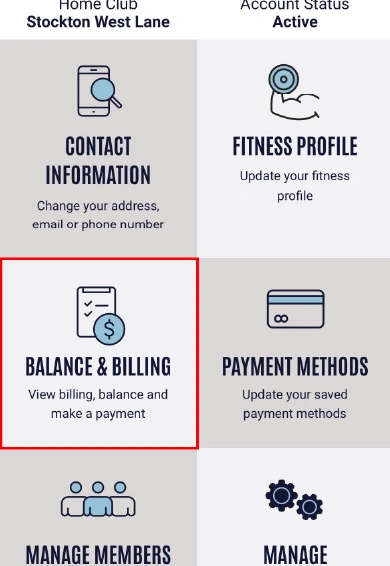
2. Tap on Balance & Billing |
3. Tap on Edit |
|
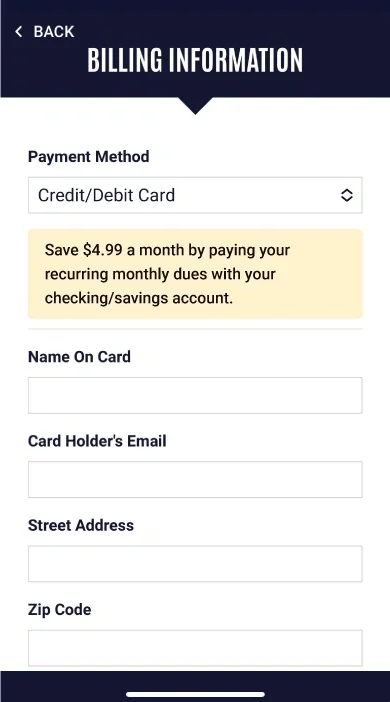
4. Fill out your payment information and tap Save |